


Use APKPure App
Get Fastlink old version APK for Android




Fastlink is a connectivity self care app that lets subscribers manage accounts and data usage.
Fastlink serves customers on Fastlink’s 4.5G+ network in Kurdistan by bringing account control, recharges, and offers into one app. You can check your balance, monitor usage, and keep your line active without calling support or visiting a store. The app also includes tools that help you check network performance and stay updated with the latest promotions. Get the latest Fastlink APK on APKPure to manage your mobile data quickly and securely. Moreover, Fastlink APK lets you recharge through trusted payment options and scratch cards, so you can stay connected wherever you are in the region. In addition, Fastlink APK latest version improves stability and brings smoother access to your account.
Real time dashboard
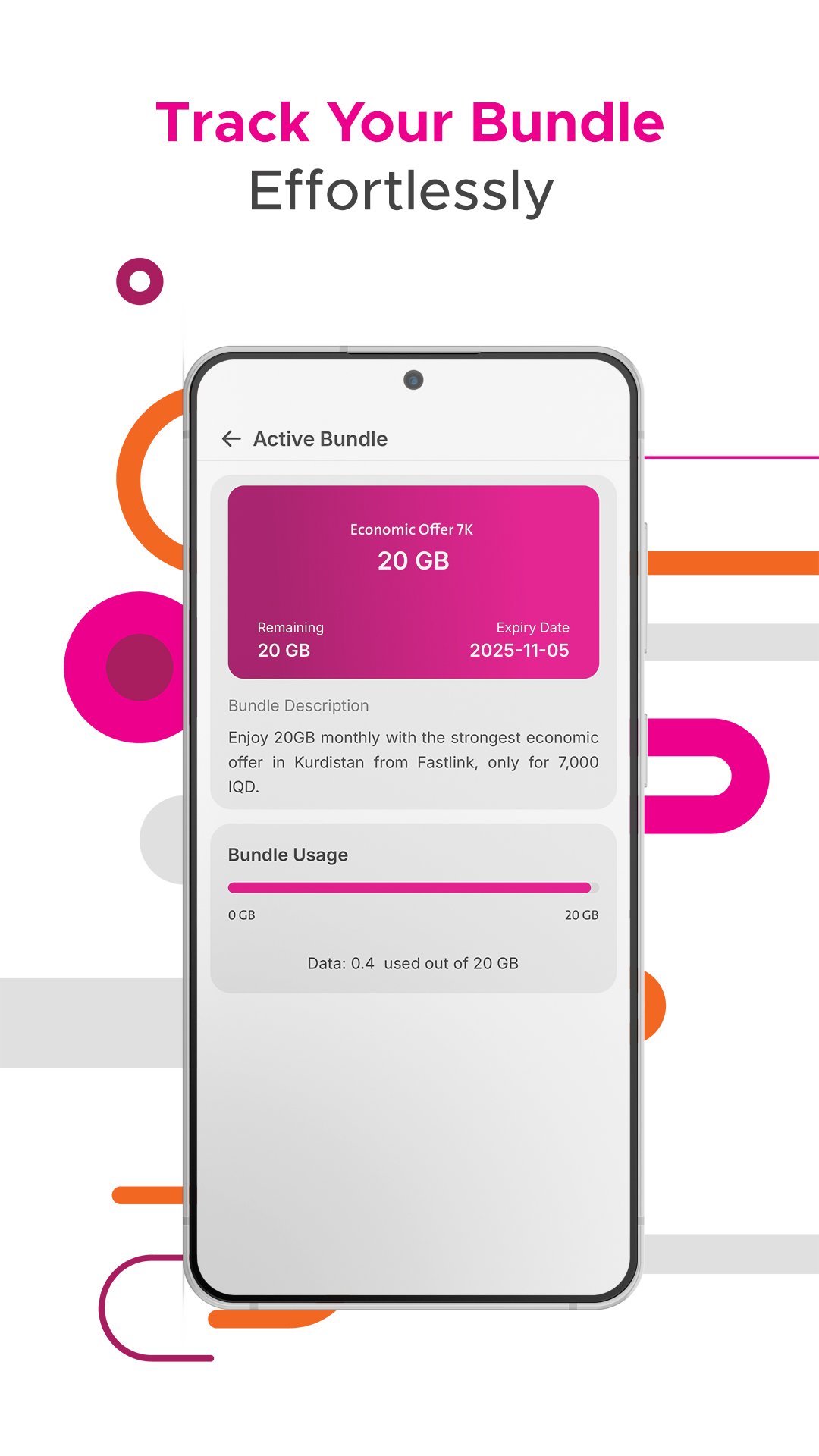
Fastlink shows your remaining balance, current data consumption, and active bundle details in a clear dashboard. You see your usage update as you go online. Therefore, you can decide when to buy or change a bundle without guesswork.
Instant recharge with FIB and scratch cards
You can recharge instantly using First Iraqi Bank with QR or deep link flow inside Fastlink. Also, you can top up with a scratch card by entering the code in the app. This keeps your line active even when you are on the move.
Buy internet bundles and access exclusive offers
Fastlink lets you browse available packages, compare options, and purchase the bundle that fits your needs. You will also find exclusive offers that appear only inside the app. As a result, you can control costs and get more data when you need it.
24/7 in app customer support
Fastlink provides round the clock help inside the app, so you can report issues or ask questions at any time. The support area routes you to the right place quickly. Therefore, you can solve common problems without waiting in a queue.
Speedchecker for connection testing
The built in Speedchecker helps you measure download speed, upload speed, and latency for your Fastlink connection. You can run a test before streaming or downloading large files. In addition, you can compare results in different locations to find stronger coverage.
Account tools that save time
Fastlink keeps your transaction history in one place for easy tracking. You can also find the nearest showroom on a map and read the latest news and promotions. This means you spend less time searching and more time staying connected.
Fastlink focuses on subscribers using Fastlink 4.5G+ in Kurdistan, Iraq. If you are a Fastlink customer in the region, you can download Fastlink and manage your line directly from your phone. Fastlink APK on APKPure is available for Android devices, and Fastlink also provides a mobile app experience for iOS users.
There is no official Windows application for Fastlink at this time. The mobile app is the primary way to manage your account on the go. For official announcements about supported platforms, visit the Fastlink website listed below.
If mobile data does not work, check your Android APN settings by going to Settings, Mobile Network, Access Point Names, then confirm the Fastlink SIM profile is active. After that, try resetting APN to default and restart your device. If issues continue, contact support inside the app for APN guidance specific to your line.
For login issues, make sure you are using your active Fastlink number in the correct format. Then check that your device has an internet connection and try again. So you can regain access faster, use the in app support option to report a login problem and include a screenshot of any error message.
Use Fastlink to stay on top of your balance, bundles, and recharges in a few quick steps. The process below explains how to install Fastlink APK latest version from APKPure and begin managing your account.
Fastlink brings your balance, bundles, recharges, and support into one app. Download Fastlink APK latest version on APKPure to get quick access to your account tools on Android. Moreover, Fastlink helps subscribers on Fastlink 4.5G+ in Kurdistan keep their line active with simple steps.
Official resources
Last updated on Feb 10, 2026
- General Enhancement
- Bug Fix
Latest Version
 5.1.0
5.1.0
Uploaded by
Luca Russo
Requires Android
Android 7.0+
Available on

Category
Report

Discover what you want easier, faster and safer.
