


Use APKPure App
Get Brevent old version APK for Android



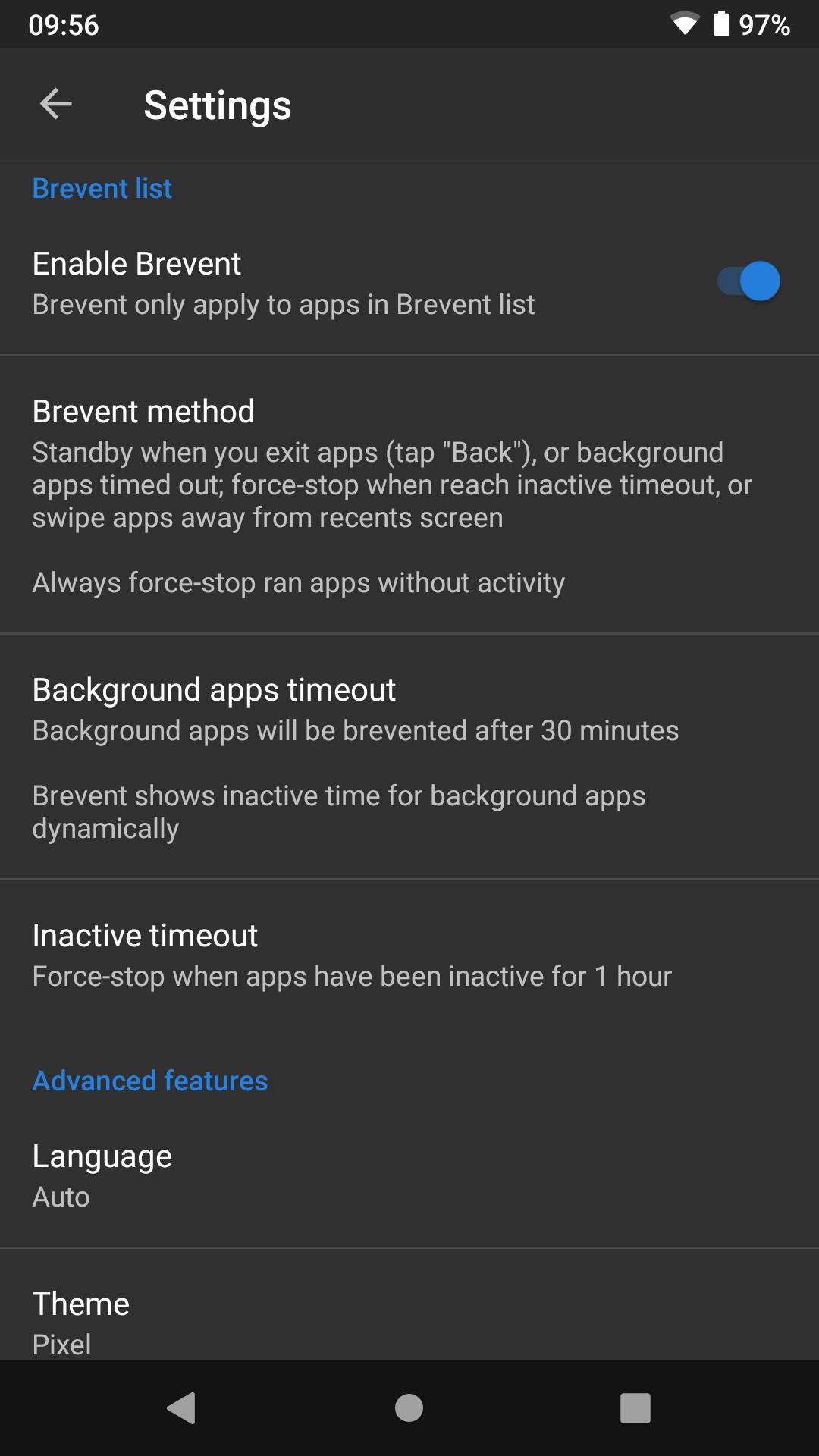


Brevent is a no root Android utility that stops long running background apps to keep your phone responsive.
Brevent helps when apps keep waking your phone or draining battery after you leave them. It pauses unnecessary background activity while keeping important tasks working in the background. This approach aims to keep the device responsive during daily use without extra steps each time. To get started with Brevent APK, you enable it once and then decide which apps it should manage.
Brevent uses Android app standby and precise force stop logic to pause idle or misbehaving processes. After you exit an app, Brevent moves it to standby, then stops it if it times out, is swiped from recents, or runs without visible activity. This helps reduce wakeups that slow the device. At the same time, it avoids heavy handed blocks that could break normal use.
Manage only the apps you selectBrevent acts only on the apps you add to the Brevent list. Apps outside the list are never changed. This gives you clear control and makes it easy to try changes on a few apps first. You can adjust the list at any time if your usage changes.
Keep notifications with Allow syncFor apps you rely on for timely alerts, Brevent offers an Allow sync option. When enabled, the app can continue necessary background sync and still deliver notifications. This helps you reduce unwanted background runs while keeping important messages and updates arriving on time. You can turn Allow sync on or off per app as needed.
Simple one time activationActivation is straightforward using WebUSB at brevent.sh in Chrome or Edge, or by running a single adb command from a computer. The process pairs your device, starts the Brevent service, and then the app keeps working until the next reboot. During activation you may see a prompt to confirm the RSA key on the device. After activation, you return to Brevent and start managing your list.
Wide Android compatibilityBrevent supports a broad range of Android versions and also works with Wireless debugging on supported devices. Because app standby behavior can differ by manufacturer, some models may not support every standby state. In those cases, Brevent still applies its force stop logic when conditions are met. This design helps it operate consistently across many phones and tablets.
App standby is implemented differently across brands, so results can vary by device. If you are new to adb, the ADB and Fastboot guide from LineageOS offers a clear introduction and can help you prepare your environment. You can find activation helpers and commands at brevent.sh, which also explains the WebUSB method. Brevent is a registered trademark, Brevent® by Jianyu Studio.
After you download Brevent, activation takes a few minutes and needs a computer for the first setup. The steps below cover WebUSB in Chrome or Edge and the adb command method. Once activated, you choose which apps Brevent should manage.
Brevent gives you clear control over background behavior without root. To stay current with the Brevent latest version, review version details and then activate once to begin managing your list.
For official resources and guidance, visit:
Last updated on Jan 26, 2026
Minor bug fixes and improvements. Install or update to the newest version to check it out!
Latest Version
 4.2.29.1
Uploaded by
Jianyu Studio
Requires Android
Android 6.0+
Available on

Category
Report

Discover what you want easier, faster and safer.
