


Use APKPure App
Get Widgetable old version APK for Android




Widgetable is a social widget app that lets friends and couples share moments on lock and home screens.
Widgetable fits users who want to feel close to a bestie or partner throughout the day, even when apart. It focuses on simple, real-time updates that appear right on the phone, so you can share a quick feeling, a tiny photo, or a small note without opening a chat. Because the widgets live on your screens, you can glance and respond with little effort. Many Android users look for Widgetable APK to set up these shared widgets quickly and keep things lightweight.
Interactive widgets on your screens
Widgetable lets you place interactive widgets on your lock and home screens. You can post small updates that appear for your friend or partner, creating a space that reflects your connection throughout the day. The updates are designed for quick exchanges, so it feels natural to check in and respond.
Co-parent virtual pets
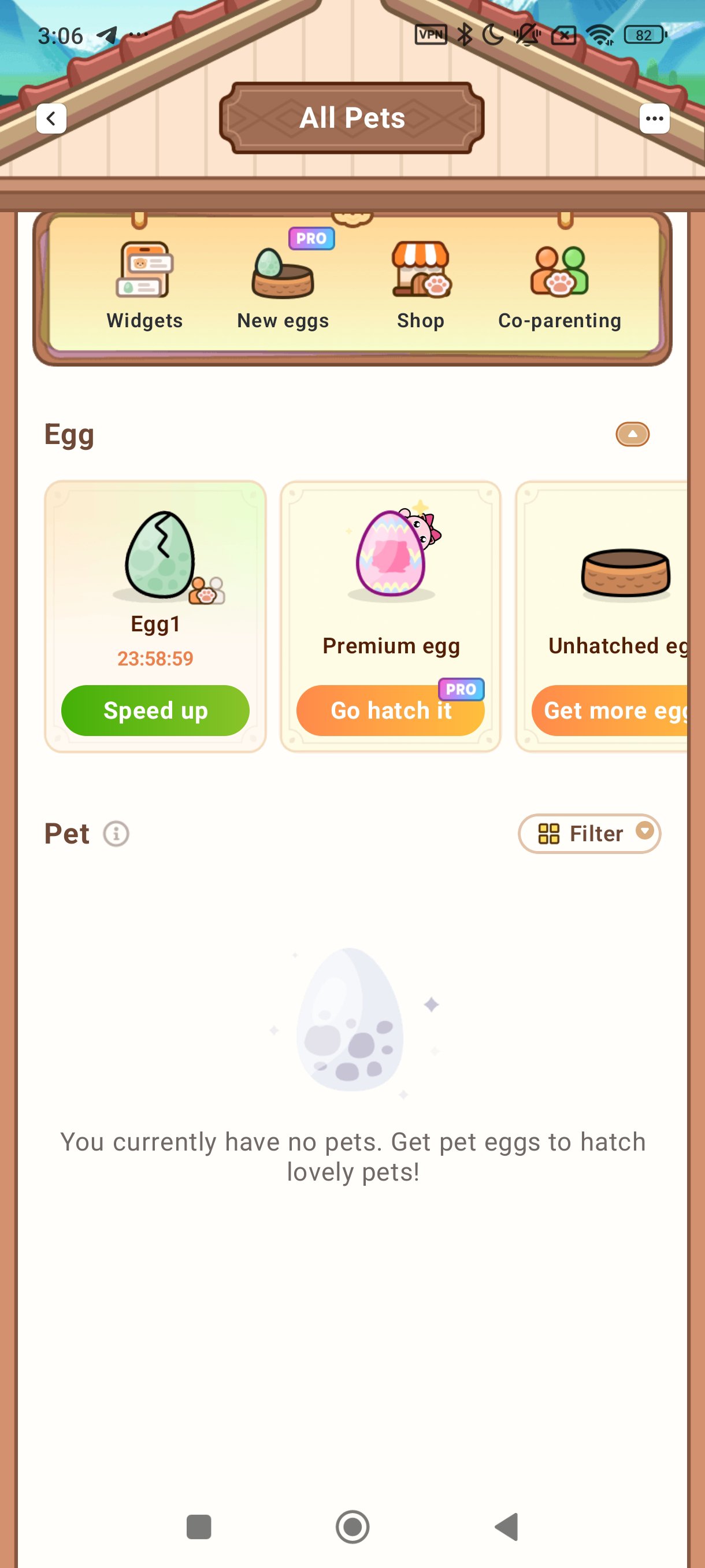
You and your partner or bestie can raise adorable virtual pets together. Feed them, play with them, and watch them grow as a duo to build shared memories. This feature gives you a simple routine to enjoy as a pair and adds a playful touch to your daily check-ins.
Track daily vibes together
Widgetable includes tools to share how you feel and how you slept. With Mood Bubble and Mood Jar, you can log feelings and quirky moments to compare later. If you grant sleep data access, the Sleep Widget helps both sides track sleep and see patterns over time.
Distance and status tools to stay close
The Distance Widget shows real-time distance between you and someone close when location access is granted. Status Widgets make it easier to see each other’s basic updates without sending a message. You can also use the Miss You Widget to count love bombs and keep a lighthearted tally of how much you miss each other.
Pin It and a personal look
With Pin It, you can send snaps, emojis, doodles, and short texts that show up on your bestie’s screen. For a more personal style, you can grow a Plant Widget garden and pick matching themes. Widgetable includes trendy wallpaper styles like 3D, AI, and paper-cut to coordinate with your widgets.
Widgetable for Android is free to use for non-commercial purposes. There are optional permissions that enable specific widgets. Location access supports the Distance Widget, and sleep data access supports the Sleep Widget. If you prefer not to share these data types, you can skip those permissions and still use other parts of the app.
Regarding privacy and safety questions, the app may collect categories such as Health and Fitness, Location, Identifiers, Usage Data, and Diagnostics to support features and improve performance. Users who are concerned about data practices can review the Privacy Policy and Terms on the official website before creating shared widgets. For families, consider checking permissions and content together to decide if the app fits your household.
After you download Widgetable, you can set up your first shared widget in a few minutes. The process is simple and works well when both sides follow the same steps. You only need to grant extra permissions if you want to use features that rely on that data.
Widgetable helps you and someone close share small moments through interactive widgets on your screens. Set up the features that fit your connection and adjust permissions to match your comfort level. Install the Widgetable latest version to access the current widgets and style options.
For official resources and support, use the links below.
Last updated on Mar 23, 2026
Minor bug fixes and improvements. Install or update to the newest version to check it out!
Latest Version
 4.0.140
Uploaded by
Happeny Technology Pte. Ltd.
Requires Android
Android 9.0+
Available on

Category
Report

Discover what you want easier, faster and safer.
