


Use APKPure App
Get Taskbar old version APK for Android


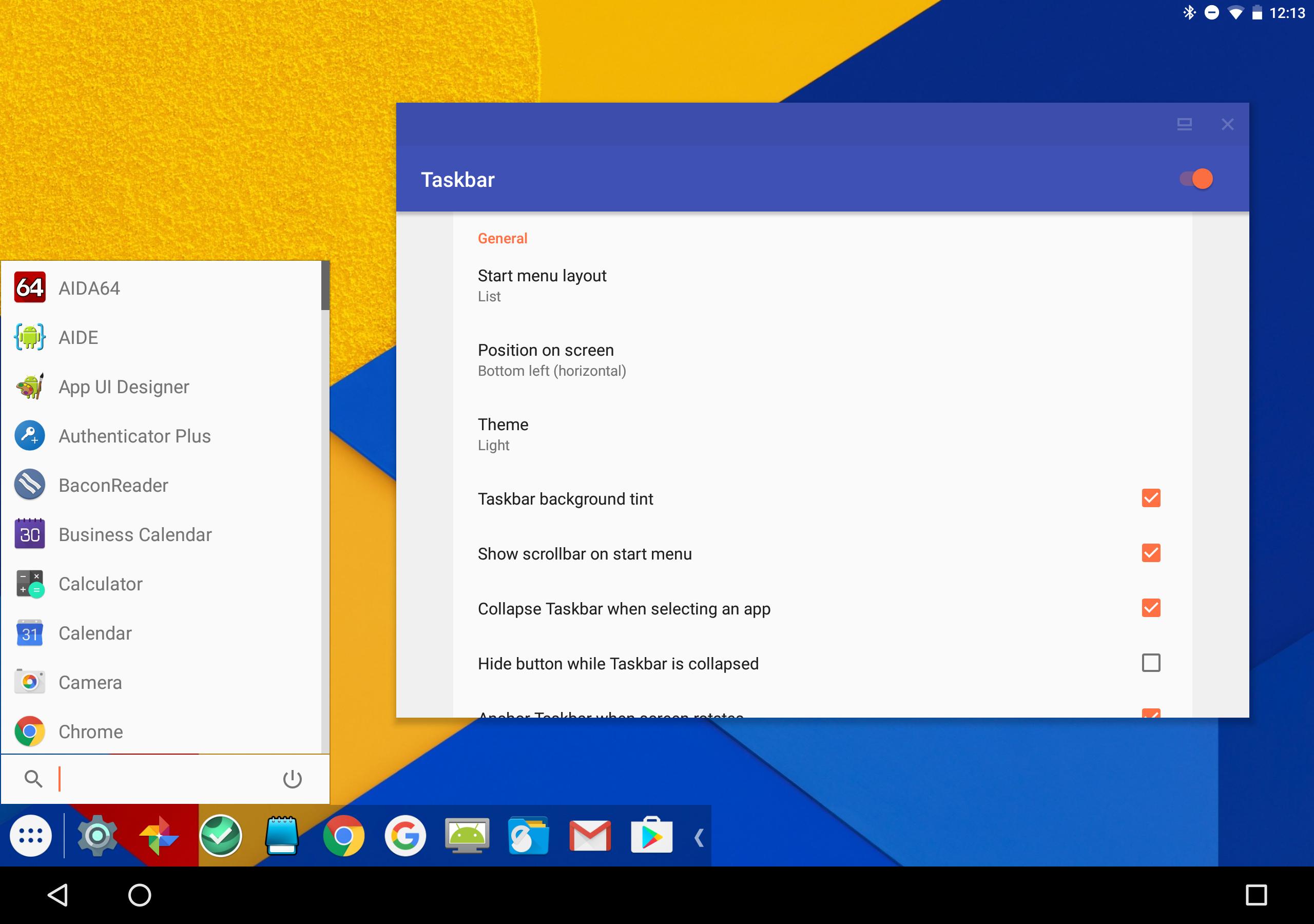
Taskbar is an Android launcher utility that adds a PC style start menu and multitasking.
Taskbar helps when you want quick access to apps and smoother multitasking across larger screens. It works as a secondary launcher that fits phones, tablets, foldables, Chromebooks, and set top boxes. As a result, you can switch between work and media more naturally while using a keyboard and mouse. With a focus on simple control and reliable behavior, Taskbar APK keeps navigation familiar without extra clutter.
Start menu and recent apps tray
Taskbar shows all installed apps in a list or grid so you can find and launch them quickly. A recent apps tray sits alongside the start menu, which makes switching between running apps immediate. You can view, open, and return to tasks with minimal tapping. This design keeps your focus on what you are doing instead of searching through screens.
Desktop Mode on external displays
On Android 10 and newer, Taskbar supports Desktop Mode when you connect to an external display. Apps can run in resizable windows, creating a familiar PC like workspace. This setup helps when using a lapdock or a monitor for presentations or productivity. It keeps window controls predictable so you can arrange your apps as needed.
Freeform window mode on Android 7.0 and up
Taskbar can launch apps in floating windows without root on Android 7.0 and newer. For Android 8 and 9, a one time adb step is required to enable freeform mode. After that, you can move and size windows to fit your workflow. It is a practical way to manage multiple apps side by side on compatible devices.
Customizable and collapsible interface
You can pin favorite apps for quicker access and hide apps you do not want to see. The taskbar can be shown or hidden on demand so it never gets in the way. Settings let you adjust layout and behavior to match your screen and input style. This flexibility keeps navigation simple on both small and large displays.
Privacy friendly, open source, and ad free
Taskbar is completely free and open source, with no ads. It does not request Internet permission. The optional Accessibility service is used only for system actions, not for data collection. This approach gives users clear control with a transparent design.
Taskbar works as a secondary launcher on Chrome OS and is usable on Android TV through sideloading. This flexibility makes it a strong fit for tablets, set top boxes, and portable monitors. Many users connect a phone to a display and use a keyboard and mouse for a light desktop setup. In that case, Taskbar Android keeps app access and window control consistent across hardware.
Taskbar supports ADW style icon packs, letting you align app icons with your preferred theme. Developers can use libtaskbar to add Desktop Mode integration to third party launchers. These tools help extend windowing behavior and visual styles without altering core app logic. The official project page offers source code and documentation for exploration.
Before you start, install Taskbar and open the app to enable its overlay. For users who want windowed multitasking, connect a display and configure the relevant settings. If you plan to download Taskbar for desktop style use, review the steps below first.
Taskbar adds a familiar start menu and windowed multitasking to Android with a simple, privacy focused design. It is useful on phones, tablets, Chrome OS devices, and external display setups. To begin, check the features above and then install the Taskbar latest version.
If you need official project information or documentation, use the link below.
Last updated on Oct 2, 2024
New in 6.2.2:
• Fix crash occurring when favorite app tiles are selected
New in 6.2.1:
• Maintenance release targeting the latest versions of Android
• Various bug fixes and crash fixes
• Updated German translation
Latest Version
 6.2.2
6.2.2
Uploaded by
فاضل خلف ابوزيد
Requires Android
Android 5.0+
Available on

Category
Report

Discover what you want easier, faster and safer.
