


Use APKPure App
Get Shortcut Maker old version APK for Android


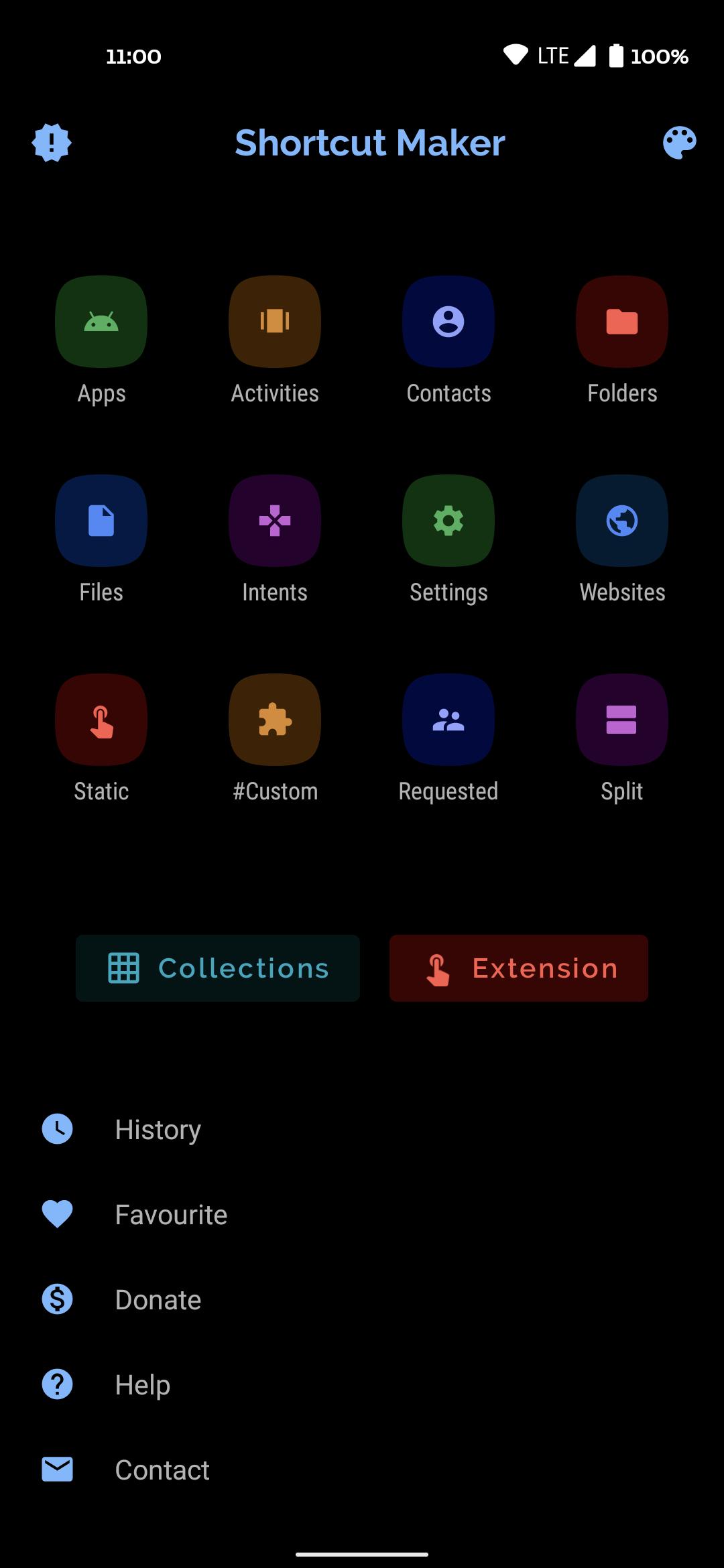
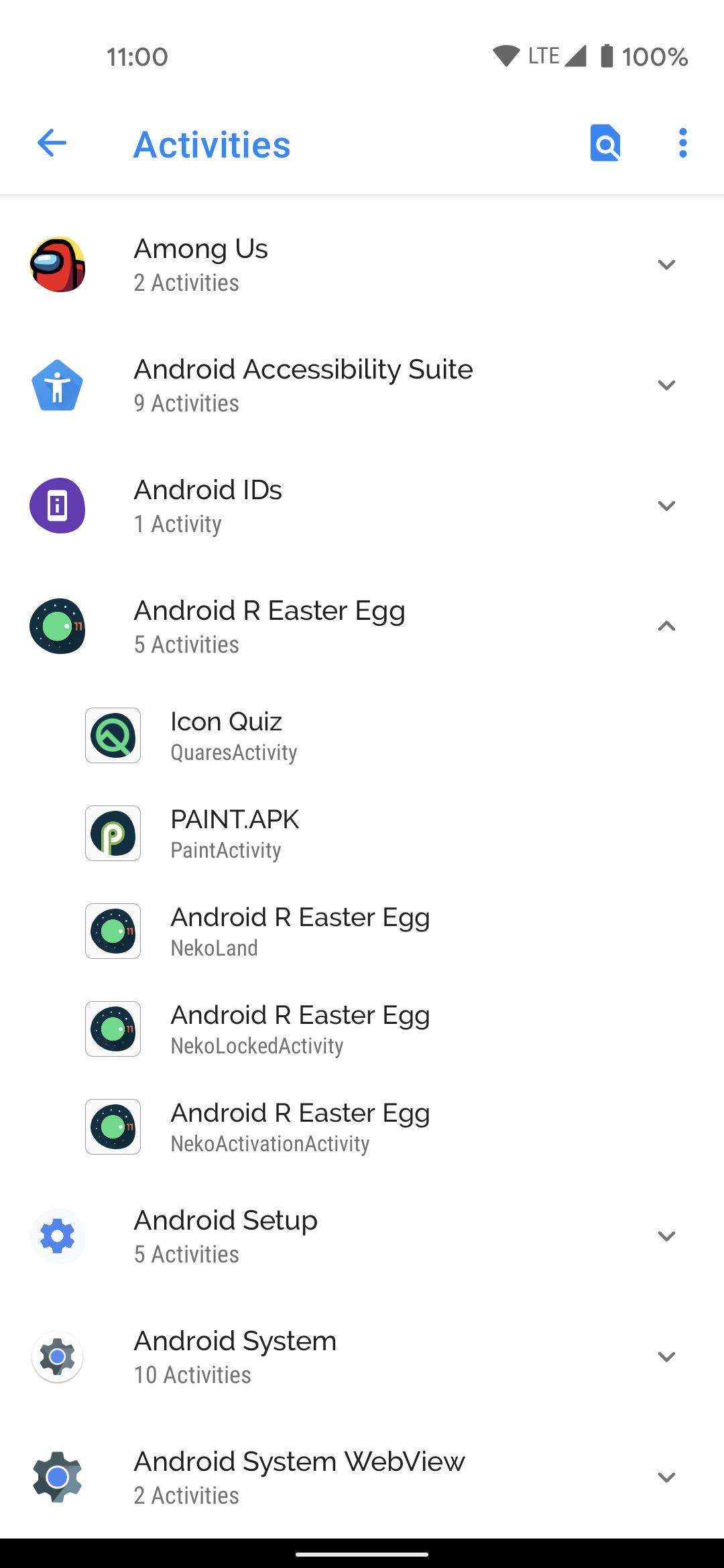
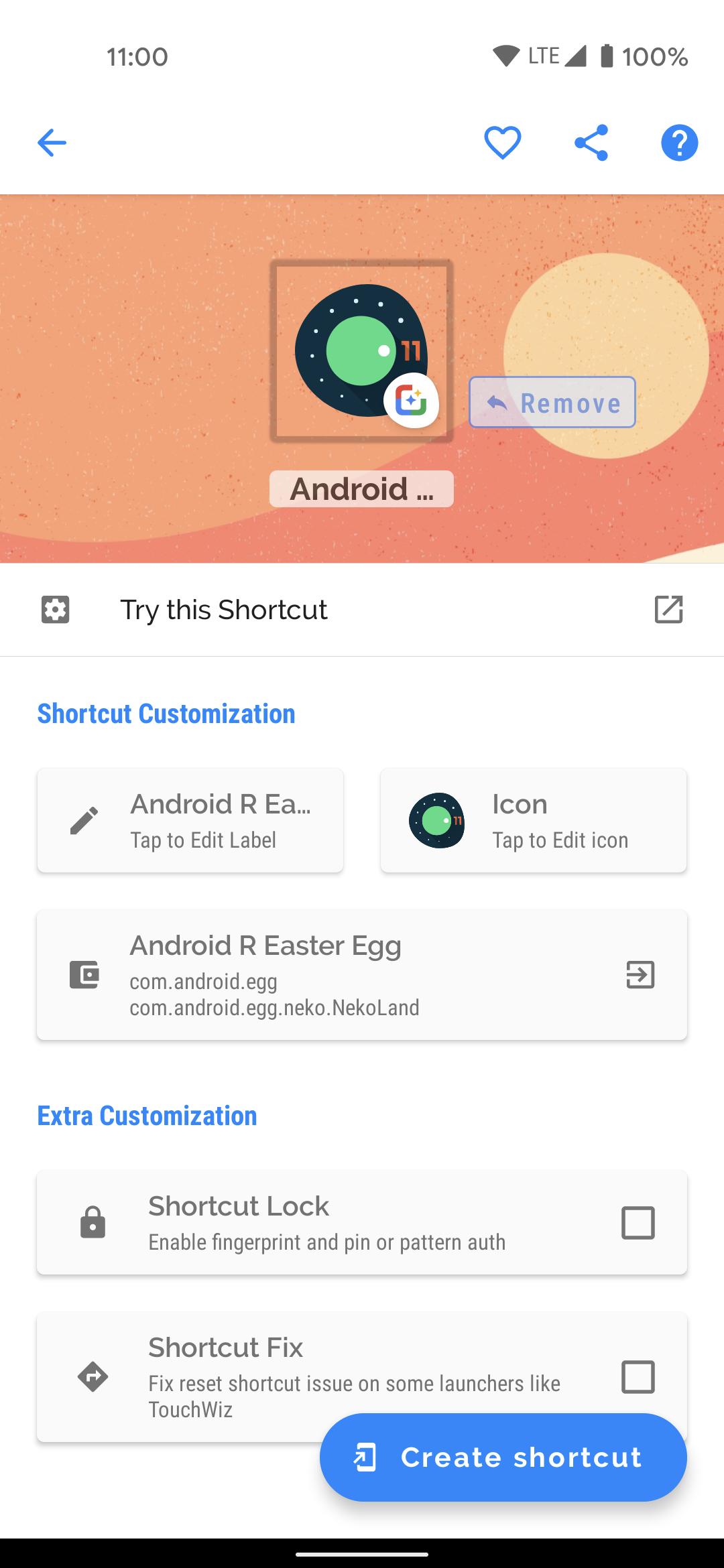


Shortcut Maker is a personalization app that creates deep shortcuts to apps, actions, files, settings, and websites on your home screen.
Shortcut Maker focuses on quick access and clean organization, so your most used tasks are never more than one tap away. It helps you jump directly to specific content or actions instead of opening an app and navigating through menus. You can customize icons and labels, review a live preview, and keep track of everything you create with favorites and history. The flow is simple from picking a target to placing the shortcut, therefore it suits both first time users and advanced users. Get the Shortcut Maker APK on APKPure for a fast, reliable way to streamline daily actions.
Create deep shortcuts
Shortcut Maker lets you open precise activities inside apps, so you can go straight to a section or options screen. This reduces taps and saves time when you repeat the same actions daily. It is useful for power users and simple enough for quick setup.
Files, folders, and website links
You can place shortcuts to files, folders, and favorite URLs directly on the home screen. This keeps documents and web tools within instant reach. As a result, your workflow stays focused and consistent.
Custom icons and names
Shortcut Maker supports custom icons from your gallery and editable labels. You can retouch the icon style and rename shortcuts any time. Also, the live preview helps you fine tune the look before you add it.
Quick settings and system pages
You can add direct entries to settings pages and toggles. This gives one tap access to areas you open often, like network or app info screens. Moreover, you can reduce the need to browse through long settings lists.
Intents for advanced targets
Shortcut Maker supports building shortcuts with Android intents using the default app. You can target actions that are not visible in normal menus. In addition, the editor keeps the process clear and organized.
Favorites and history
Shortcut Maker stores your favorites and shows a history of created items. You can reuse or tweak past creations without starting over. Therefore, it becomes easier to manage many shortcuts over time.
Both apps can create activity level shortcuts, however Shortcut Maker focuses on modern customization and everyday use. It adds live preview, easy icon changes, and saved favorites to speed up repeated tasks. If you search for QuickShortcutMaker, note that Shortcut Maker offers similar deep links plus broader options for files, websites, and settings pages.
Shortcut Maker works on recent Android versions, including Android 14. You may need to grant permission to let the app add items to the home screen. After you allow this, you can create activity based shortcuts as usual and place them with your launcher.
Shortcut Maker pairs well with popular launchers and icon packs. You can pick any image from your gallery to match your theme. Also, the app’s preview helps you align styles before placing items.
APKPure provides secure download options for Shortcut Maker APK and checks file integrity. You can review signing details and version history on the download page. The app may request access to storage to pick images for icons and read files, and it needs permission to create home screen shortcuts.
You can create your first shortcut in a minute. Follow these steps to place a deep link to an app action, file, or website.
Shortcut Maker helps you reach the right screen at the right time with fewer taps. Get the Shortcut Maker APK latest version on APKPure to create deep shortcuts, customize icons, and keep your home screen efficient.
Official contact
What is the shortcut maker app?
Shortcut Maker is an Android personalization tool that creates direct shortcuts to specific app activities, files, folders, settings pages, and websites. It lets you customize icons and labels and preview before placing the shortcut on your home screen.
How can I create a shortcut for an app?
To create a shortcut with Shortcut Maker, open the app, choose Apps or Activities, and select the exact screen you want. Then customize the icon and label, preview the result, and tap Create Shortcut to place it with your launcher.
Does Shortcut Maker work on Android 14?
Yes, Shortcut Maker works on Android 14. You may be asked to allow the app to create home screen shortcuts, and after granting permission you can add activity based and file or web shortcuts as normal.
Is Shortcut Maker APK safe to use?
Shortcut Maker APK is available for secure download on APKPure, and files are checked for integrity. The app requests only the permissions needed to pick images, read files for shortcuts, and create items on the home screen.
How to install QuickShortcutMaker?
If you are looking for QuickShortcutMaker, note it is a different app. To install Shortcut Maker using APKPure, download Shortcut Maker APK, open the file, allow installation if prompted, and complete setup. You can also search APKPure to find other shortcut tools by name if needed.
Last updated on Oct 31, 2023
-- Bug fixes.
Latest Version
 4.2.4
4.2.4
Uploaded by
Alex Cappucci
Requires Android
Android 7.0+
Available on

Category
Report

Discover what you want easier, faster and safer.
