


Use APKPure App
Get Quick Panel old version APK for Android
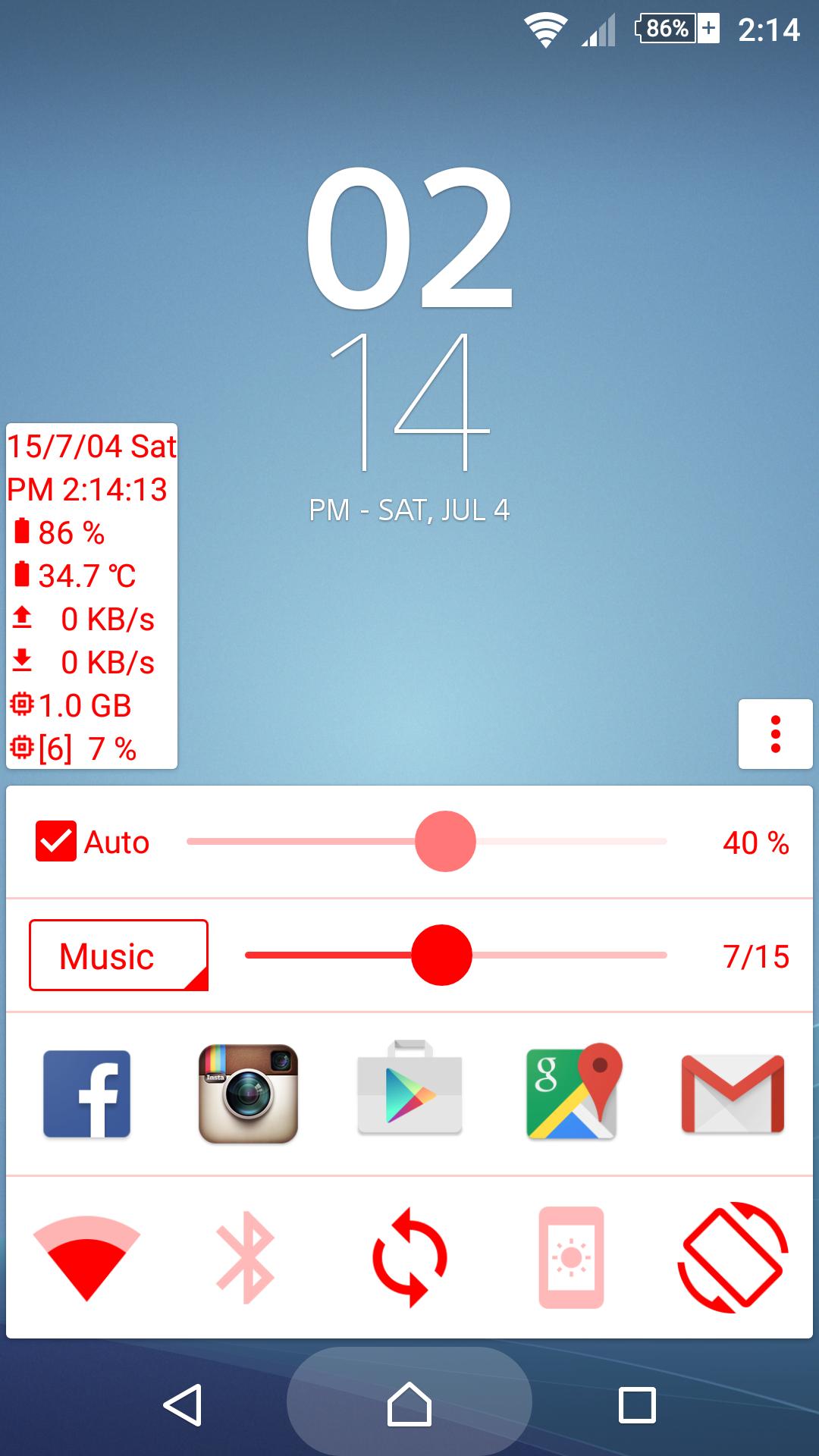

Quick panel can provide you with information and setting toggle in any case.
You can follow their own preferences, select color or change each panel.
※ Quick launch (Replace Google Now launch mode)
• Virtual Navigation bar device: Press and hold the Home button, then swipe up; repeat to close.
• Physical Navigation bar device: May long press or double-click the Home button(Note1); repeat to close.
※ Information panel
• Date and time
• Battery power and temperature
• Network and speed
• Available RAM
• CPU usage and frequency
• Environment brightness
※ Toggle panel
• WiFi
• Mobile data (Not support Android 5.0)
• Bluetooth
• Auto sync
• Ringtone mode
• Hot spot
• Auto rotate
• Keep screen on
• Torch(Flashlight)
※ Apps panel
• Quick launch other APP
※ Volume panel
• Voice call
• System
• Ring
• Music
• Alarm
• Notification
※ Brightness Panel:
• Screen brightness
• Below zero mode(May be less than the minimum brightness)
※ Note 1: Some devices may not support Quick launch.
Last updated on Sep 3, 2015
※ 1.4.2
• Improve the user experience and performance

Discover what you want easier, faster and safer.


Quick Panel
(home button)1.4.2 by WM Dev.
Sep 3, 2015