


Use APKPure App
Get Android Data Eraser App old version APK for Android



Securely wipe your Android phone before you sell or trade it in. With report.
Securely wipe your Android phone before you sell or trade it in
The Android Data Eraser App by cb innovations is a secure data eraser and file shredder for Android. Use it to wipe your phone before you sell, trade in, donate or recycle it. Files, photos, videos and other personal data are not just deleted, but overwritten, making them much harder to recover with common recovery tools.
Why factory reset alone may not be enough
A standard factory reset or simply deleting files from the gallery does not always remove every trace of your data. In many cases only the references to files are removed, while the real content remains in internal storage or on the SD card. With the right software it may still be possible to recover old photos, messages or documents. If you want to protect your privacy, you should run a secure data wipe that overwrites storage blocks instead of just clearing file lists.
What you can do with the Android Data Eraser App
The app works as a data eraser, file shredder and privacy cleaner:
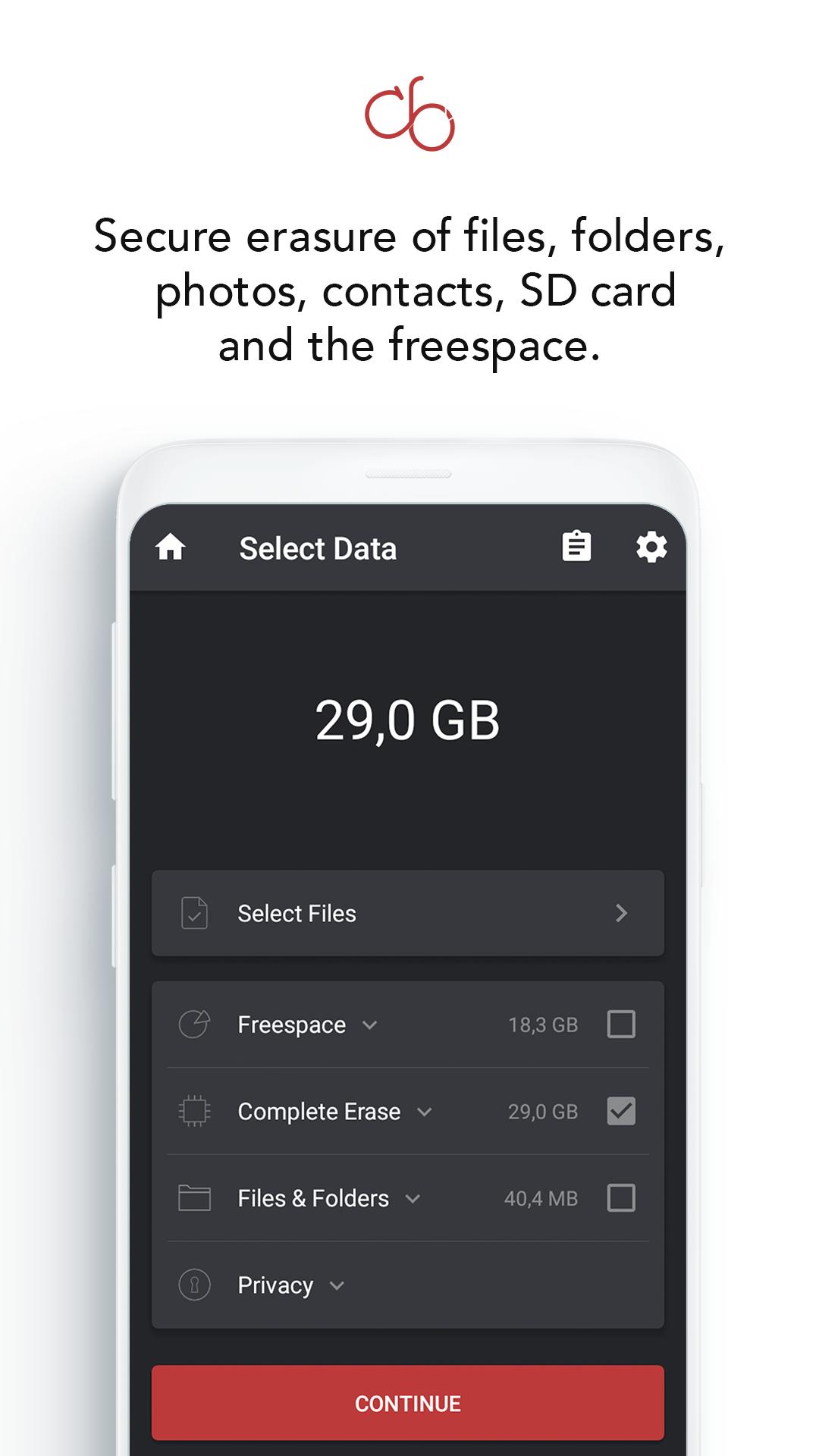
- Permanently delete selected files and folders from internal storage and supported SD cards
- Securely erase photos and videos from your gallery before selling your phone
- Remove documents, downloads and other sensitive files
- Wipe contacts, call logs, notes and clipboard contents
- Send items from other apps to Data Eraser via Share → Android Data Eraser App
The interface is clean and ad‑free, with a progress bar and clear warnings before any permanent wipe.
Wipe free space and SD cards
Even after you delete files in the usual way, fragments can remain in the “free space” of your phone’s storage. The Android Data Eraser App can wipe this free space on internal storage and on compatible SD cards by overwriting unused areas. This helps destroy traces of files that were deleted in the past and makes it much harder to rebuild old data from a phone you have already sold or recycled.
Secure wiping methods based on established standards
Instead of just marking files as deleted, the app overwrites data blocks with patterns based on established secure erasure practices. You can:
- choose a fast single‑pass wipe for less sensitive content
- use multi‑pass wiping for confidential business data or highly sensitive personal information
The goal is to make recovery of wiped data extremely difficult, even with advanced forensic tools.
GDPR‑grade wiping with deletion reports
Engineered in Germany, the app follows secure data wiping practices at a GDPR‑grade level. After each secure wipe you can generate a deletion report showing:
- when the wipe took place
- which storage area was wiped (for example a folder, internal storage, SD card or free space)
- which wipe method was used
These reports act as erasure certificates and are useful for businesses, IT teams, repair shops and refurbishers who need to prove that customer or company data has been removed correctly before devices are resold or recycled.
Who is the Android Data Eraser App for?
- Users who want to securely erase all data from an Android phone before selling or trading it in
- Anyone who wants to make sure old phones, tablets or SD cards no longer contain recoverable personal data
Free version and Premium upgrade
You can download and try the Android Data Eraser App for free. The free version lets you securely erase a limited amount of data per day, which is enough for testing and small clean‑ups. If you regularly prepare phones for resale, handle many devices or want unlimited secure data wiping, you can unlock the Premium version with an in‑app purchase and use the app as a professional data erasure tool.
Important warning
Secure wiping is permanent. Data that has been overwritten with the Android Data Eraser App should not be recoverable with normal recovery tools. Always back up anything you want to keep and double‑check which files and folders you select before running a secure wipe.
Last updated on Jul 4, 2025
+ Adjustments Android 15
+ Minor improvements
Latest Version
 1.5
1.5
Uploaded by
Pablo Henrique
Requires Android
Android 5.0+
Available on

Category
Report

Discover what you want easier, faster and safer.
