


Use APKPure App
Get Android Proxy Server old version APK for Android
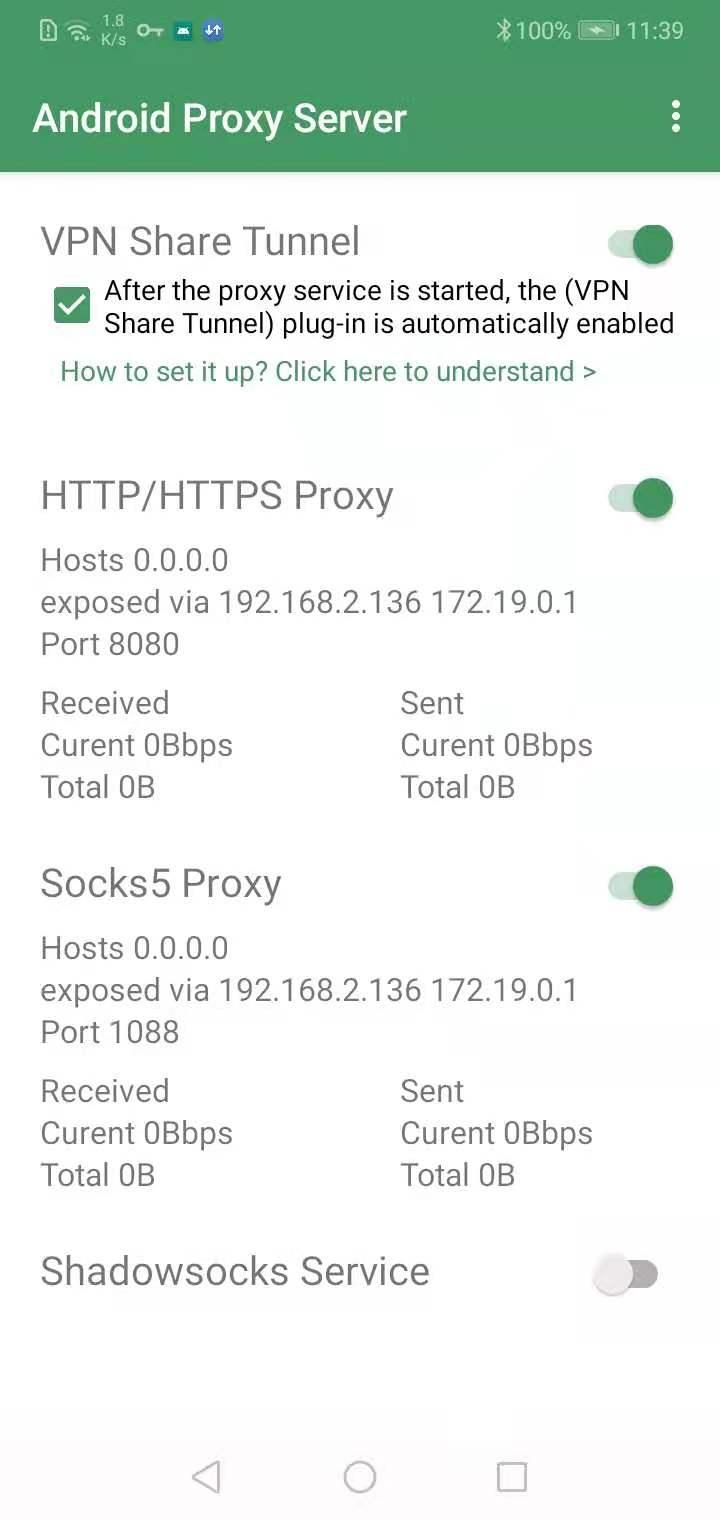
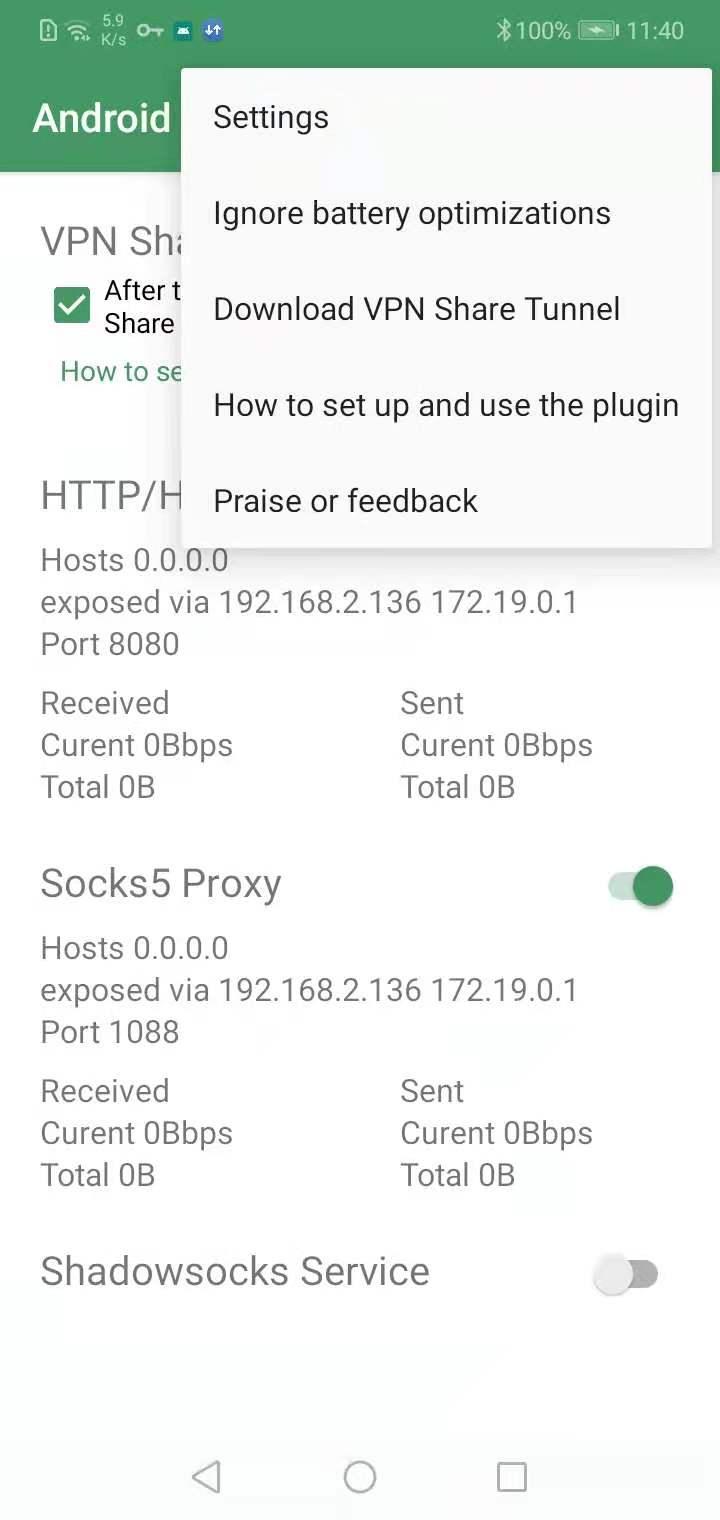



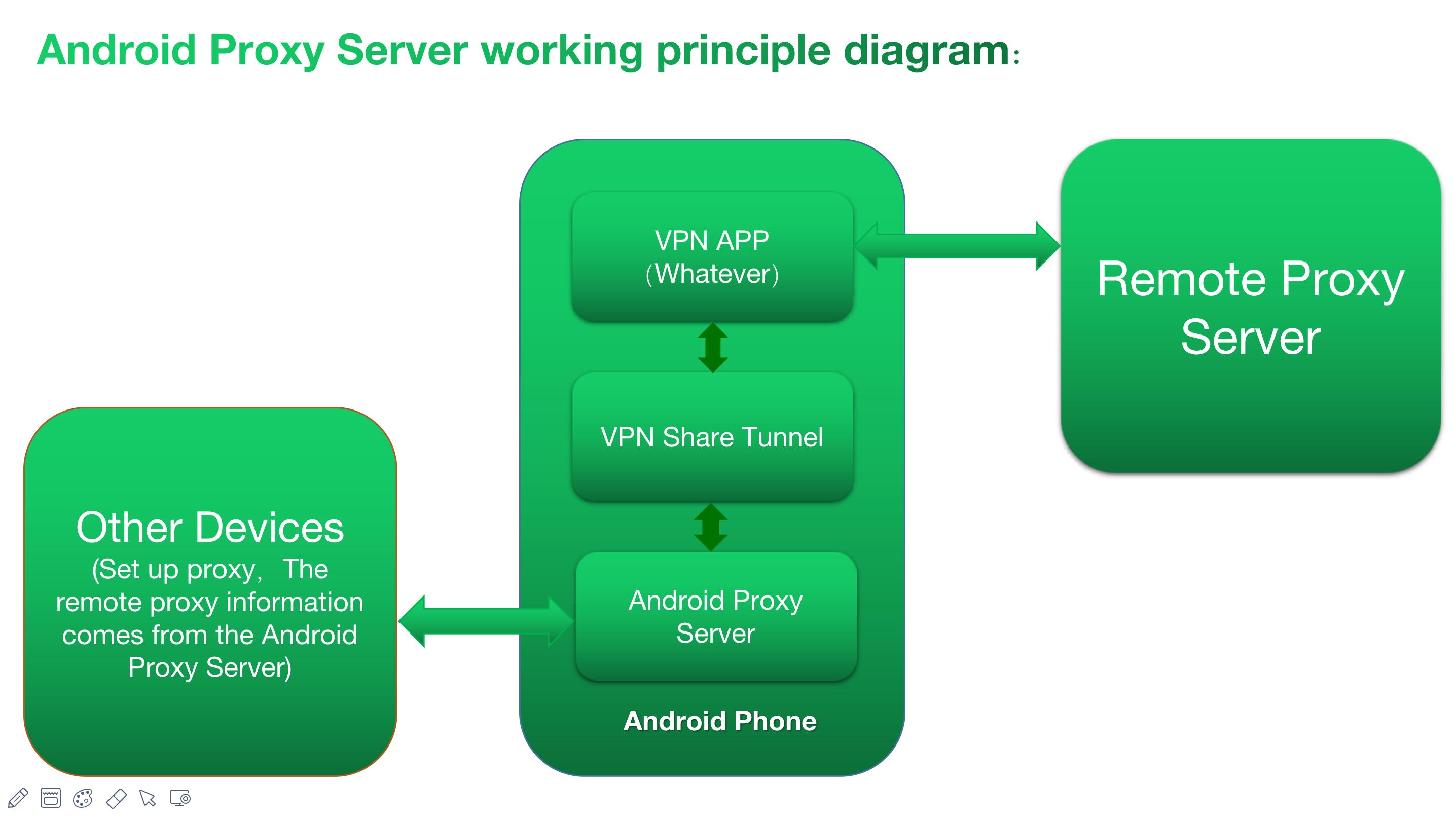
Android Proxy Server is a networking utility app that runs a full featured proxy server on your phone.
Android Proxy Server suits users who need to share a phone connection with laptops, tablets, or other phones in everyday setups. It focuses on simple proxy sharing over hotspot or a local network while keeping control over who can connect. Because it runs on the device, there is no need for extra hardware or root access. For testing or secure forwarding, it keeps traffic organized and straightforward. If manual installation is preferred, the Android Proxy Server APK is available for compatible devices.
Android Proxy Server hosts several proxy types on a single Android device, which helps you match different client needs. You can use it for browsing, tunneling, or relaying traffic across your network.
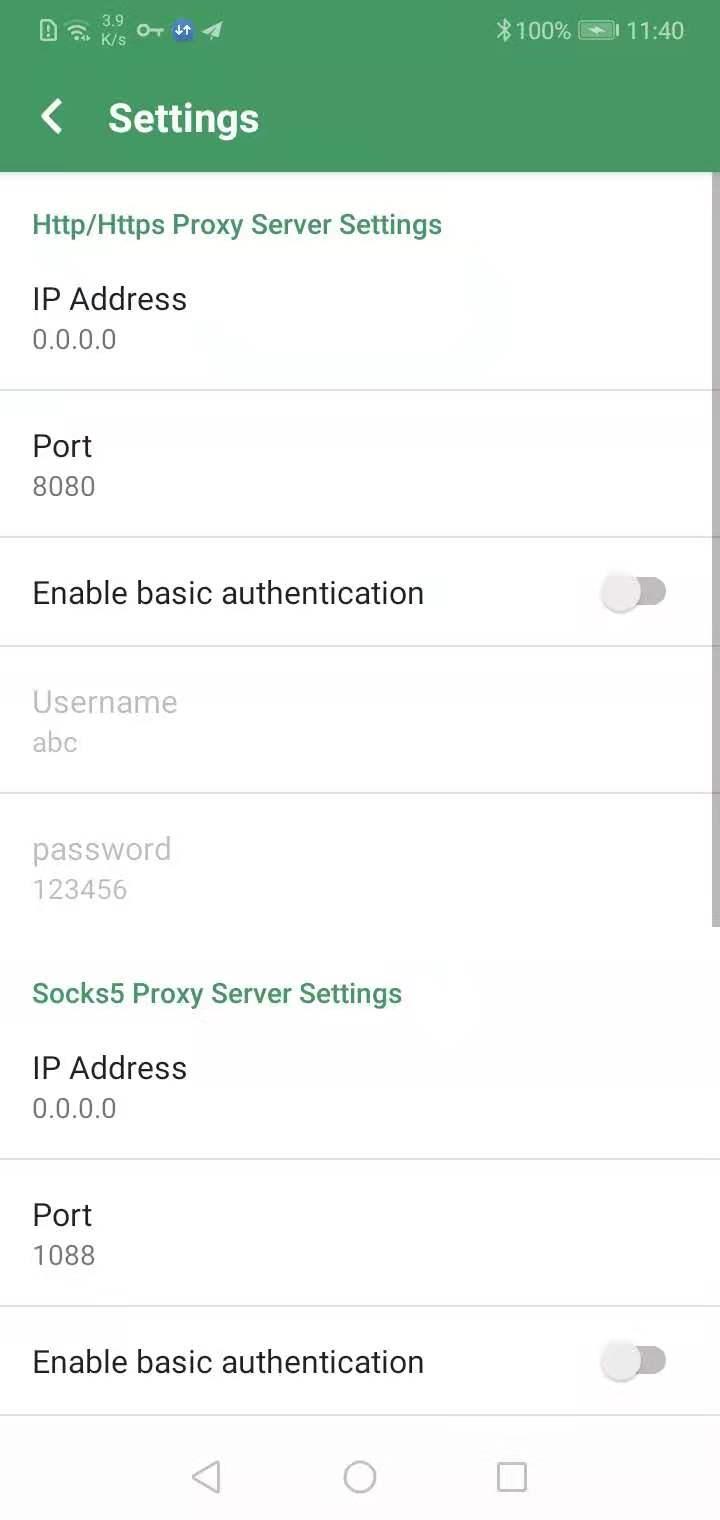
Android Proxy Server lets you add username and password authentication to any supported proxy type. You define credentials and control who can connect. This protects shared access when your phone is acting as a proxy gateway on a hotspot or LAN.
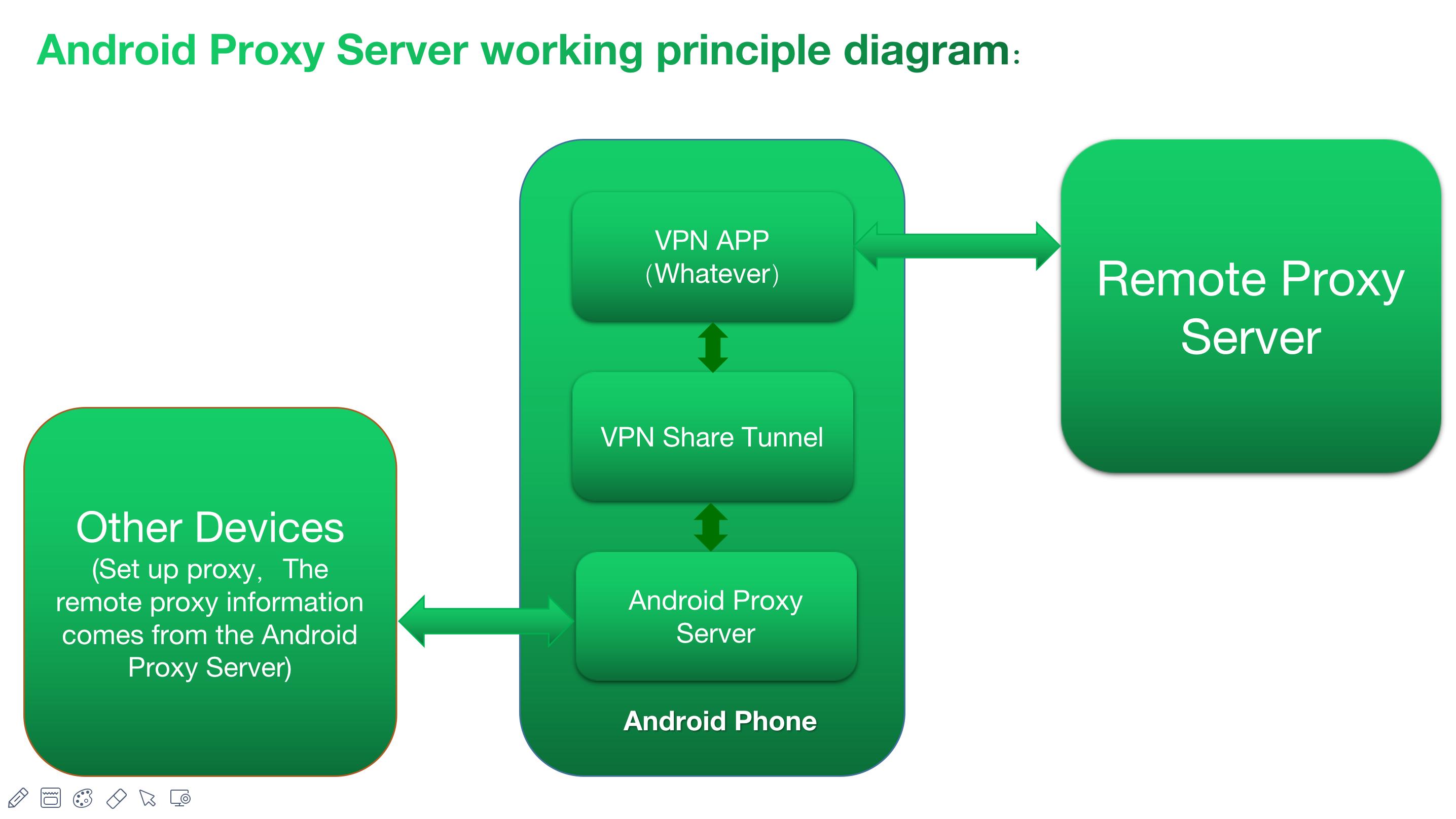
Share VPN or mobile data across devicesYou can share the phone’s VPN or mobile data connection with other devices on the same hotspot or local network. Android Proxy Server forwards traffic through your active connection so laptops or other phones can route their requests securely. This is useful when a device does not support a VPN client or needs a quick temporary setup.
Plugin enhanced routingThe Network Share Tunnel plugin extends how Android Proxy Server handles traffic. It helps bypass device VPN limitations and can force cellular use even when the phone is connected to Wi Fi. This adds flexibility for cases where you need consistent routing through mobile data while testing or sharing.
Developer and QA friendly workflowAndroid Proxy Server works with packet capture apps, which lets you intercept and analyze requests and responses from connected devices. This is helpful during troubleshooting, QA, or learning network behavior. You can bind to 0.0.0.0 to expose the proxy on all device IPs, and no root access is required. Dark mode is available for comfortable use.
This is a server app, not a client. Basic networking and proxy concepts are recommended so you can configure ports, addresses, and authentication correctly. When using the Network Share Tunnel plugin with a VPN, set your VPN app to bypass Android Proxy Server traffic so the server can forward properly.
If you want to share cellular data while the phone is on Wi Fi, install Network Share Tunnel version 2.2 or later and enable the option “Force plugin to use mobile network.” Close any VPN apps before turning on the plugin. Binding to 0.0.0.0 is a practical setup tip because it exposes the proxy on all assigned IPs for easier access across your LAN.
The developer states that the app does not collect data from users. Data passing through supported proxy types is encrypted as part of the chosen protocol. The app contains ads. Third parties may receive device or other IDs for advertising or analytics based on their own policies.
To get started, download Android Proxy Server and open it on your phone. The app lets you host HTTP, HTTPS, SOCKS5, Shadowsocks, or a TCP relay for other devices. Follow the steps below to configure and connect clients in a typical hotspot or LAN setup.
Android Proxy Server is a practical server tool for sharing a phone or VPN connection with other devices using standard proxy protocols. Authentication and plugin options help you control access and routing for testing or daily use. For reliable performance and fixes, install the Android Proxy Server latest version.
For official support and contact details, use the following links.
Last updated on Oct 29, 2025
Android15;
When connected to wifi, you can force the plug-in to use the mobile cellular network;
Socks5, Shadowsocks,Relay support UDP proxy;
Support socks4 proxy;
Add a way to force the plug-in to start to solve the problem that some mobile phones cannot start the plug-in ;
Realize the TCP protocol relay function,can share Orbot connection in phone;
The HTTP/HTTPS/Sock5 protocol adds basic authentication;
Latest Version
 9.2
9.2
Uploaded by
Angel Ugarte
Requires Android
Android 4.4+
Available on

Category
Report

Discover what you want easier, faster and safer.

Android Proxy Server
9.2 by WellDoMax
Oct 29, 2025